IgrGridの日付タイプのセルで表示されるポップアップカレンダー (日付ピッカー) はデフォルトで英語表記となっています。
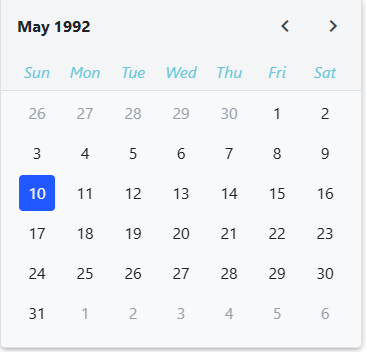
カレンダーを日本語で表示するには、日本語情報を持つ “ja” ロケールを登録し、IgrGrid の locale パラメータに設定します。
まず、以下のようにロケール登録を行うファンクション registerLocaleData を定義しておき、
// src/locale.ts
export const registerLocaleData = (locale: any) => {
  const global = window as any;
  global.ng = global.ng || {};
  global.ng.common = global.ng.common || {};
  global.ng.common.locales = global.ng.common.locales || {};
  global.ng.common.locales[locale[0]] = locale;
};
次に、”ja” ロケールの情報を定義して、
// src/locale.ja.ts
export const ja = [
  "ja",
  [["午前", "午後"], undefined, undefined],
  undefined,
  [
    ["日", "月", "火", "水", "木", "金", "土"],
    undefined,
    ["日曜日", "月曜日", "火曜日", "水曜日", "木曜日", "金曜日", "土曜日"],
    ["日", "月", "火", "水", "木", "金", "土"],
  ],
  undefined,
  [
    ["1", "2", "3", "4", "5", "6", "7", "8", "9", "10", "11", "12"],
    ["1月", "2月", "3月", "4月", "5月", "6月", "7月", "8月", "9月", "10月", "11月", "12月"],
    undefined,
  ],
  undefined,
  [["BC", "AD"], ["紀元前", "西暦"], undefined],
  0,
  [6, 0],
  ["y/MM/dd", undefined, "y年M月d日", "y年M月d日EEEE"],
  ["H:mm", "H:mm:ss", "H:mm:ss z", "H時mm分ss秒 zzzz"],
  ["{1} {0}", undefined, undefined, undefined],
  [".", ",", ";", "%", "+", "-", "E", "×", "‰", "∞", "NaN", ":"],
  ["#,##0.###", "#,##0%", "¤#,##0.00", "#E0"],
  "JPY",
  "¥",
  "日本円",
  { BYN: [undefined, "р."], CNY: ["元", "¥"], JPY: ["¥"], PHP: [undefined, "₱"], RON: [undefined, "レイ"], XXX: [] },
  "ltr",
  () => 5,
];
これらを main.tsx などで呼び出します。
// src/main.tsx
...
import * as locales from "./locale.ja.ts";
import { registerLocaleData } from "./local.ts";
...
registerLocaleData(locales.ja);
...
登録した “ja” ロケールを適用するため、IgrGrid の locale パラメータに “ja” を設定します。
<IgrGrid ... locale="ja">
     ...
</IgrGrid>
最後に、カレンダーのヘッダー部分の表記が日本語形式となるよう css によって整えます。
section.igx-calendar-picker .igx-calendar-picker__dates {
    flex-direction: row-reverse;
}
section.igx-calendar-picker .igx-calendar-picker__dates > span[role="button"]:last-of-type::after {
    content: "年";
    display: inline-block;
    margin-left: -0.2rem;
}
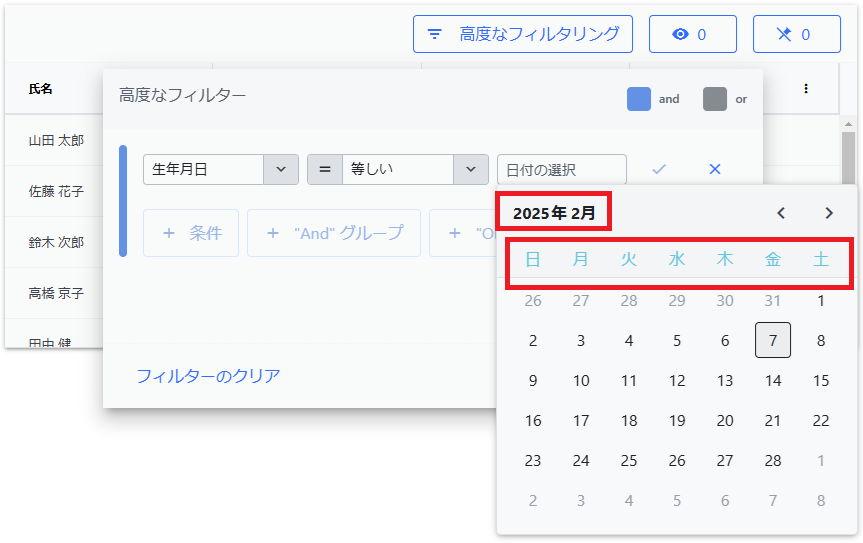
以上の内容で dataType=”date” のセルで編集時に表示されるカレンダーが日本語表示になります。

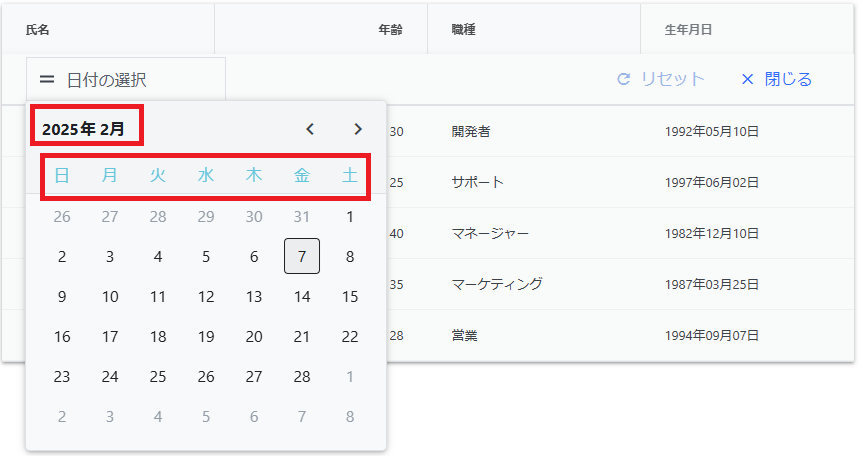
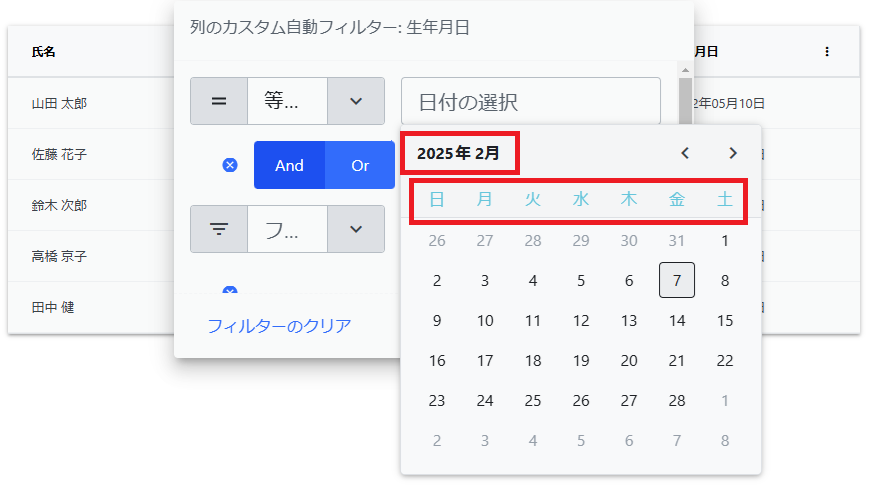
また、上記の設定によって date 列でフィルターを設定する際に表示されるカレンダーにも日本語が適用されます。
クイックフィルタリングの場合:
Excel スタイルフィルタリングの場合:
高度なフィルタリングの場合: