この KB は 製品バージョン 10.0.6 をベースにしています。
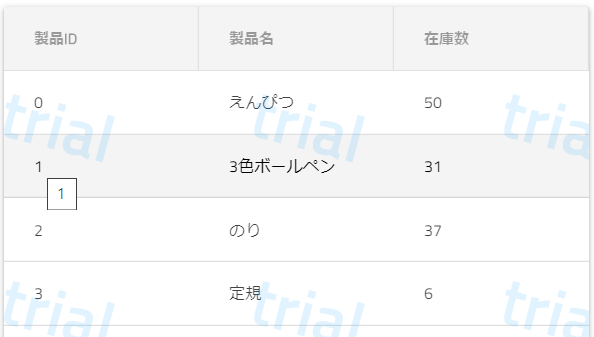
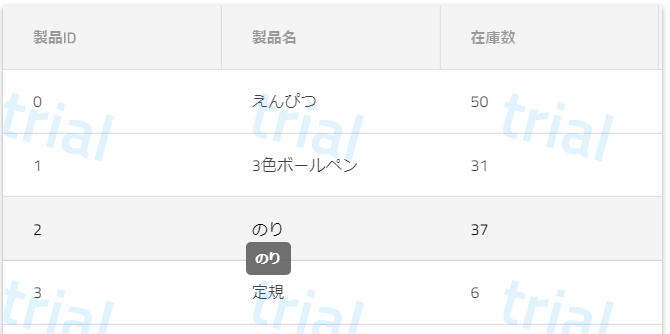
セルに表示している内容をツールチップに出すには、ng-templateを利用して、標準のツールチップをspanタグで表示したりIgxTooltipで表示したりできます。
<igx-grid #grid1 [data]="data" height="400px" width="100%" [autoGenerate]="false">
  <igx-column field="ProductId" header="製品ID">
    <!-- 標準のツールチップを使用する場合 -->
    <ng-template igxCell let-cell="cell" let-val>
      <span title="{{val}}">
        {{val}}
      </span>
    </ng-template>
  </igx-column>
  <igx-column field="ProductName" header="製品名">
    <!-- IgxTooltipを使用する場合 -->
    <ng-template igxCell let-cell="cell" let-val>
      <span #target="tooltipTarget" [igxTooltipTarget]="tooltipRef">
        {{val}}
      </span>
      <div #tooltipRef="tooltip" igxTooltip>
        {{val}}
      </div>
    </ng-template>
  </igx-column>
  ...
</igx-grid>
実行結果
標準のツールチップを使用した場合
IgxTooltipを使用した場合
サンプル
リファレンス
- 「データグリッド」→「列の構成」
- https://jp.infragistics.com/products/ignite-ui-angular/angular/components/grid/grid.html#%E5%88%97%E3%81%AE%E6%A7%8B%E6%88%90
- ※セルでのng-templateの使用方法の説明が載っています。
- 「Tooltip」